
See the shape of the day
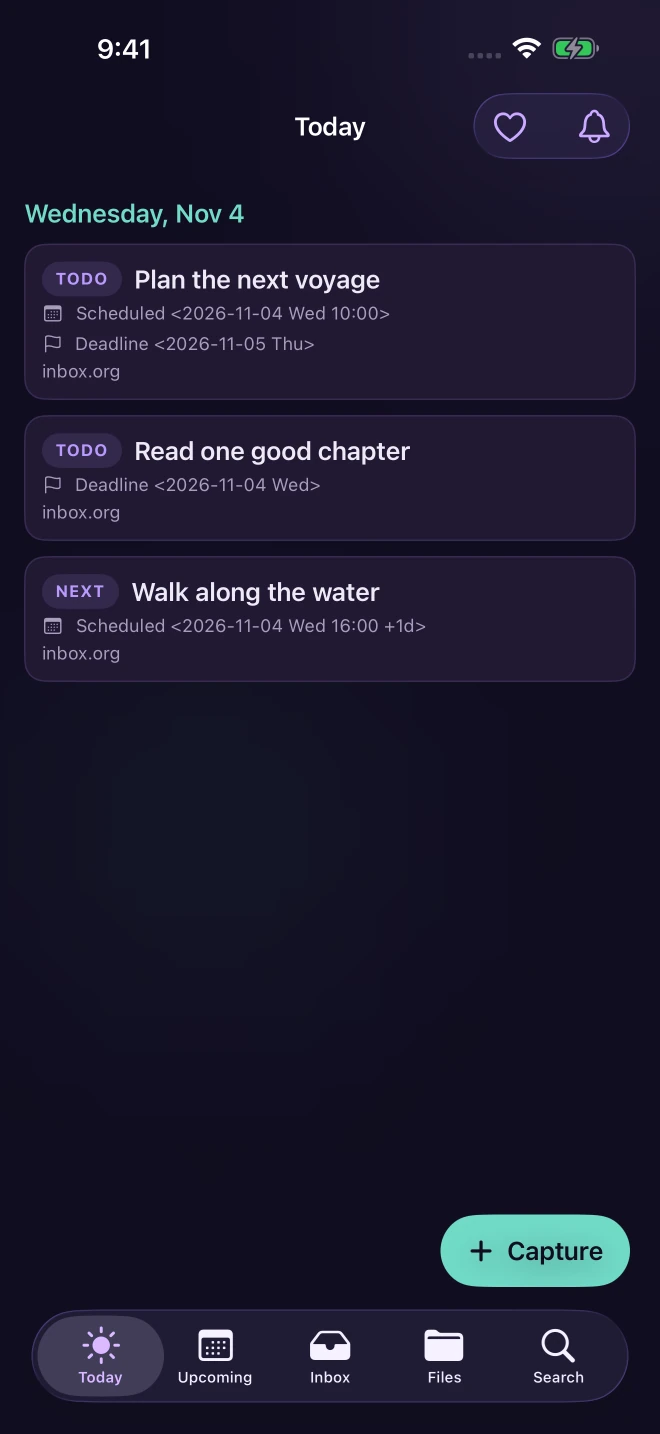
Today and Upcoming bring schedules, deadlines, repeaters, and optional local reminders into view.
ORG MODE, UNTETHERED.
Capture a thought, see what is due, and carry an existing plain-text workflow with you. Orgthulu is a native companion for iPhone and iPad—not a new system to learn.
App Store release in review · iPhone + iPad
Free to use, with optional repeatable one-time tips. No subscriptions.
THE USEFUL PART
Quiet tools for the moments between thought and follow-through.
Today and Upcoming bring schedules, deadlines, repeaters, and optional local reminders into view.
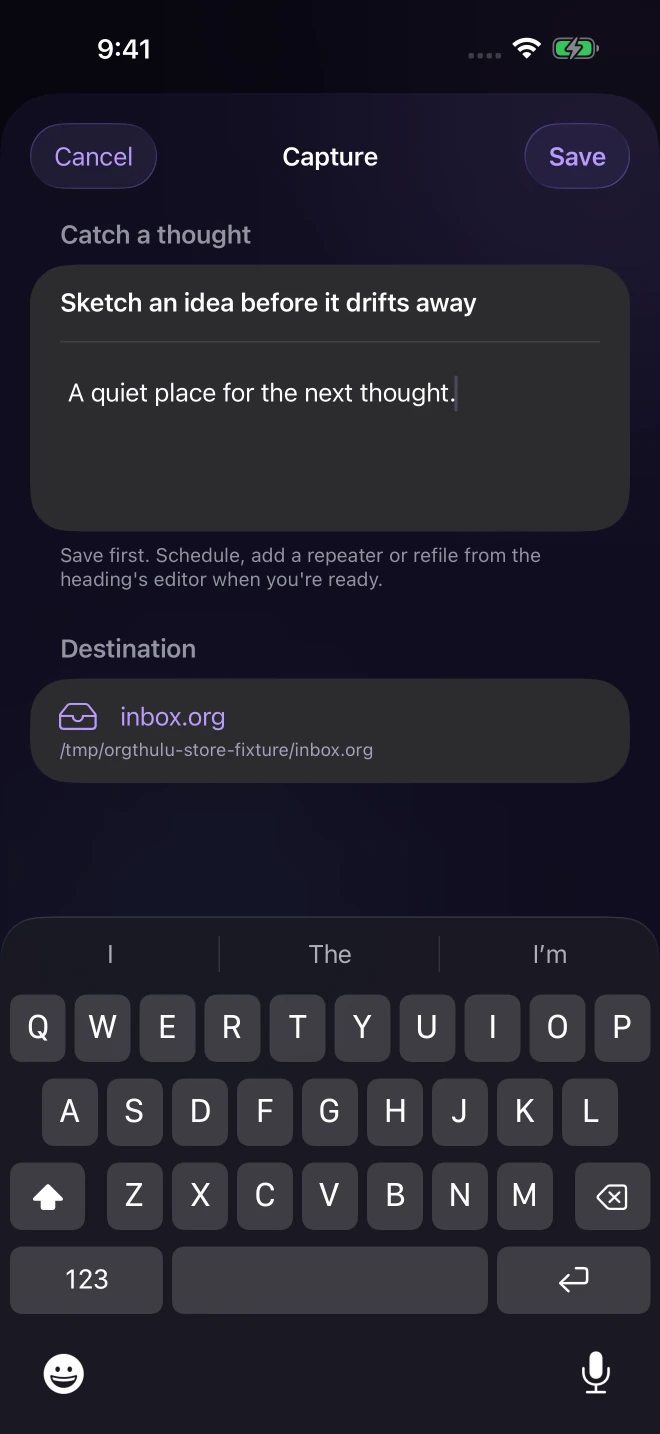
Write quickly in Capture or share text and URLs to Orgthulu's queue, then import them into your Inbox.
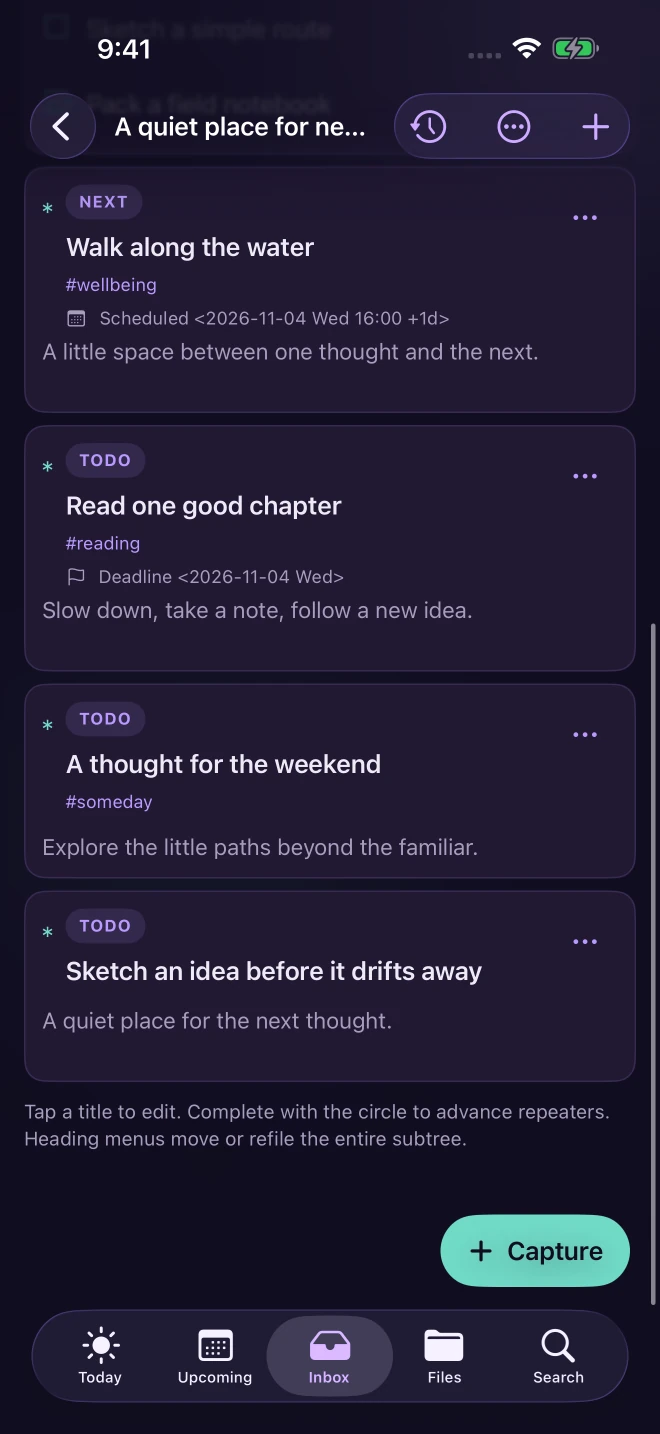
Edit task notes and checklists, refile headings, follow Org links, and preview attachments beside the work.
Conflict checks, local history, and Undo help you review changes without silently overwriting another edit.
A SMALLER DISTANCE
Connect the work you already have. Keep the decisions close to the text.
Through Apple Files, connect an Org file or folder you choose.
Set an Inbox destination, or create
inbox.org inside a connected folder.
Use Today and Upcoming for dated tasks, then open a file to edit notes, checklists, schedules, and refiling in context.
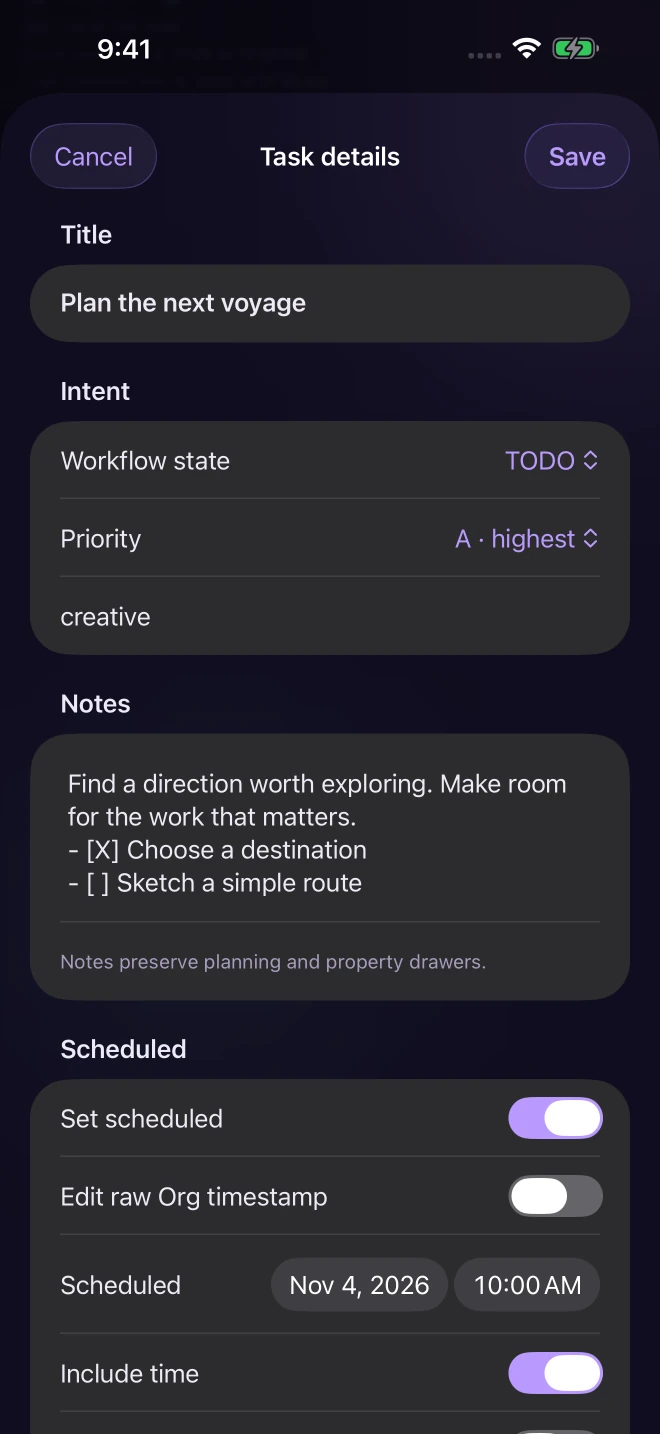
Task details keep the small work together. Review conflicts, use local history, and undo when you need to retrace a step.
A CLEAR BOUNDARY
iCloud Drive, Dropbox, and other providers work through the locations Apple Files exposes. There is no dedicated Dropbox connector or proprietary sync service. Provider availability, server synchronization, and merge behavior remain their own policies—Orgthulu does not promise instant or lossless merges.
A FAIR EXCHANGE
Every feature is free. Optional, repeatable one-time native Apple tips support development and unlock nothing. The release is awaiting Apple review.